
All your coding agents.
One control center.
Claude Code, Kimi, Codex, Gemini and Hermes side by side — across several projects, with approvals, review, editor and terminal built in. Runs locally, no account, no telemetry. Pay once, keep it.
How it works
I · Install
Download for Linux or Windows. The setup assistant finds your installed CLIs and helps you sign in.
II · Open projects
Click plus, pick a folder, pick a CLI — the agent starts right in that project. As many projects as you like, side by side.
III · Let them work
Terminals in the grid or threads with approvals: you see every tool step, risky commands wait for your click.
IV · Keep track
The Cosmos shows live which agent reads or changes which file — and warns when two touch the same one.
V · Review & commit
Read the diff, comment lines, send them back to the agent — then commit and push, all inside the app.
Your CLIs. Your subscriptions.
OpenCognit drives the official coding CLIs you already use and pay for. No API keys, no extra model, no per-call fees. Installed CLIs are detected automatically — and each one updates itself as usual.
 Claude Codeterminal · thread · conductor
 Kimi Codeterminal · thread · conductor
 Hermesthread · conductor · 60+ models
 Codexterminal · review
 Gemini CLIterminal · review
 gitcommit · push · branches
Look inside the app.
Real screenshots of OpenCognit — six agents, five CLIs, one window.
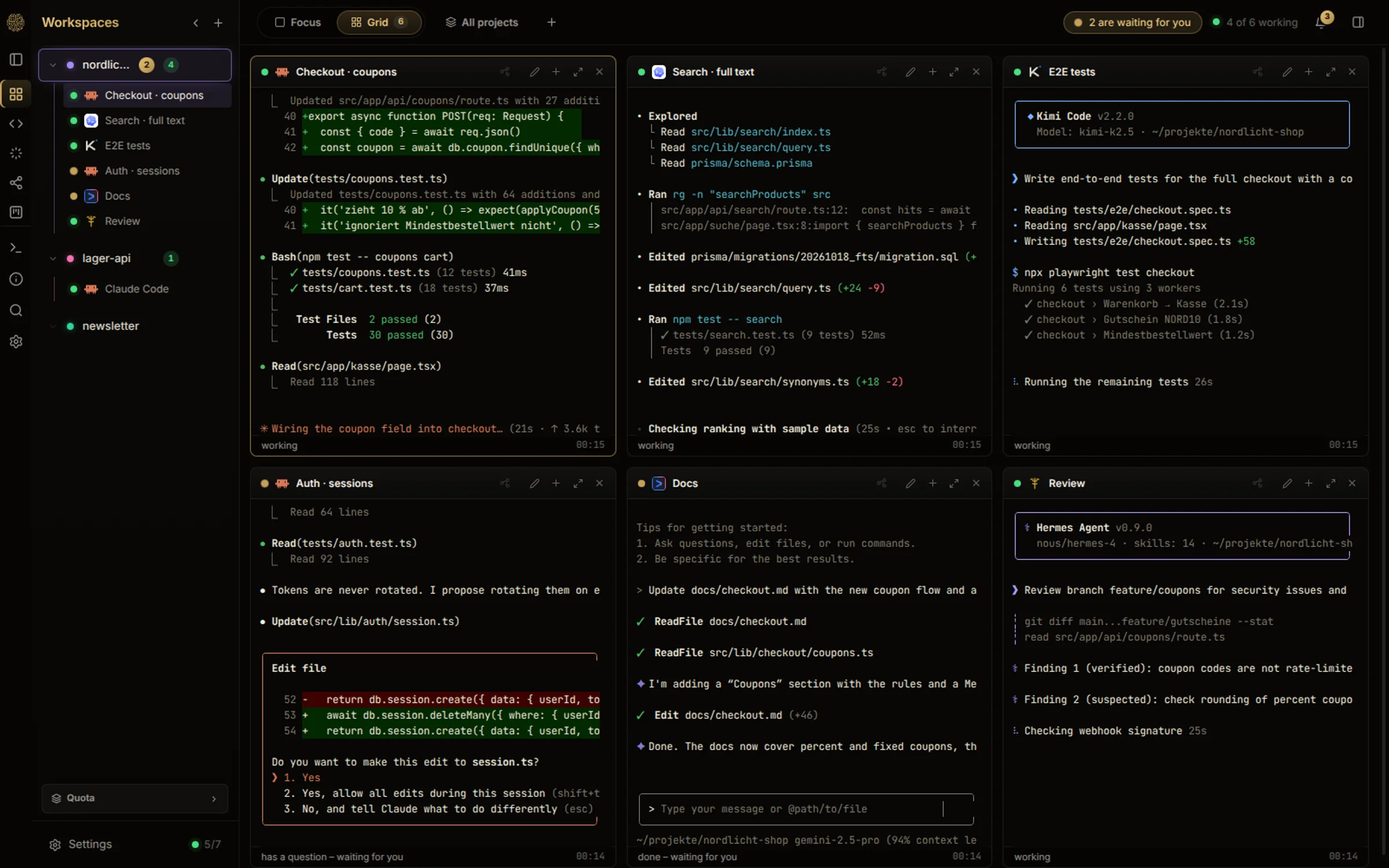
Every agent at a glance
Claude Code, Codex, Kimi, Gemini and Hermes side by side. You see who is working, who is done and who is waiting for you — and can type straight into any tile.
Screenshots with demo data.
Just say what you want.
Hold Ctrl+Space, speak, let go — your words land in the terminal or field you are in. Recognised on your own computer.
Hold, speak, release
Works in every agent terminal — Claude Code, Codex, Kimi, Gemini, Hermes — and in the orchestrator chat. You press Enter yourself.
Offline, no account
Speech recognition runs locally (NVIDIA Parakeet). No upload, no subscription, no credits. One-time model download, then it works offline.
German, English and 23 more
The language is detected automatically, even when you switch mid-sentence.
Included — no extra subscription.
✻ Welcome to Claude Code
❯
Animation — no microphone is used on this page.
No more
window chaos.
Five terminals, three projects, and nobody knows which agent is waiting for an answer? OpenCognit brings every agent into one window — with the tools you otherwise need VS Code or Cursor for.
Grid across all projects
Claude Code, Kimi, Codex, Gemini and Hermes side by side, across several projects — with status “working” or “waiting for you”.
Threads with approvals
Conversations instead of terminal noise: every tool step is visible, questions arrive as cards, risky commands wait for your click.
Conductor
One agent hands out tasks to others — Claude, Kimi or Hermes as the conductor. You say what you want, it starts the team.
Cosmos
Your project as a star system. When an agent reads or changes a file, a beam of light shows it — and conflicts become visible early.
Editor, terminal & search
Edit files, open a shell (Ctrl+J), search the whole project (Ctrl+Shift+F) — right next to your agents.
Git & review loop
Review changes, comment lines and send them back — commit, discard, switch branches, pull and push without leaving the app.
Task board & routines
Tasks with dependencies, recurring routines (“every Monday at 9”) and one click to hand a task to an agent.
Several accounts per CLI
Work and private logins side by side. When a quota runs out, you see it — and switch to the next account.
Picks up where you left off
Sessions and conversations survive restarts. Search across all past conversations, archive old threads.
One window
instead of ten.
Without OpenCognit
With OpenCognit
Pay once.
Keep it.
No subscription next to your AI subscriptions. No account, no telemetry. Try it for free, buy once — the version you bought keeps working forever.
- Up to 4 agents at the same time
- 2 projects (workspaces)
- All features incl. Cosmos, editor, threads and dictation
- No account, no time limit
- Unlimited agents and projects
- 12 months of updates included
- Linux and Windows
- License key right after payment
- Checked offline — no account needed
- Another 12 months of updates
- Your version keeps working without it — forever
- The app tells you when a new version is available
AI costs are not included — you use your own CLI subscriptions (Claude Code, Kimi, Codex, Gemini, Hermes). OpenCognit is the control center, not a model.